Professional Thermal Printing
for Android

Print screenshots, photos, and documents to any Bluetooth thermal printer. Fast, reliable, and privacy-first.

No Ads No Data Collection Privacy First
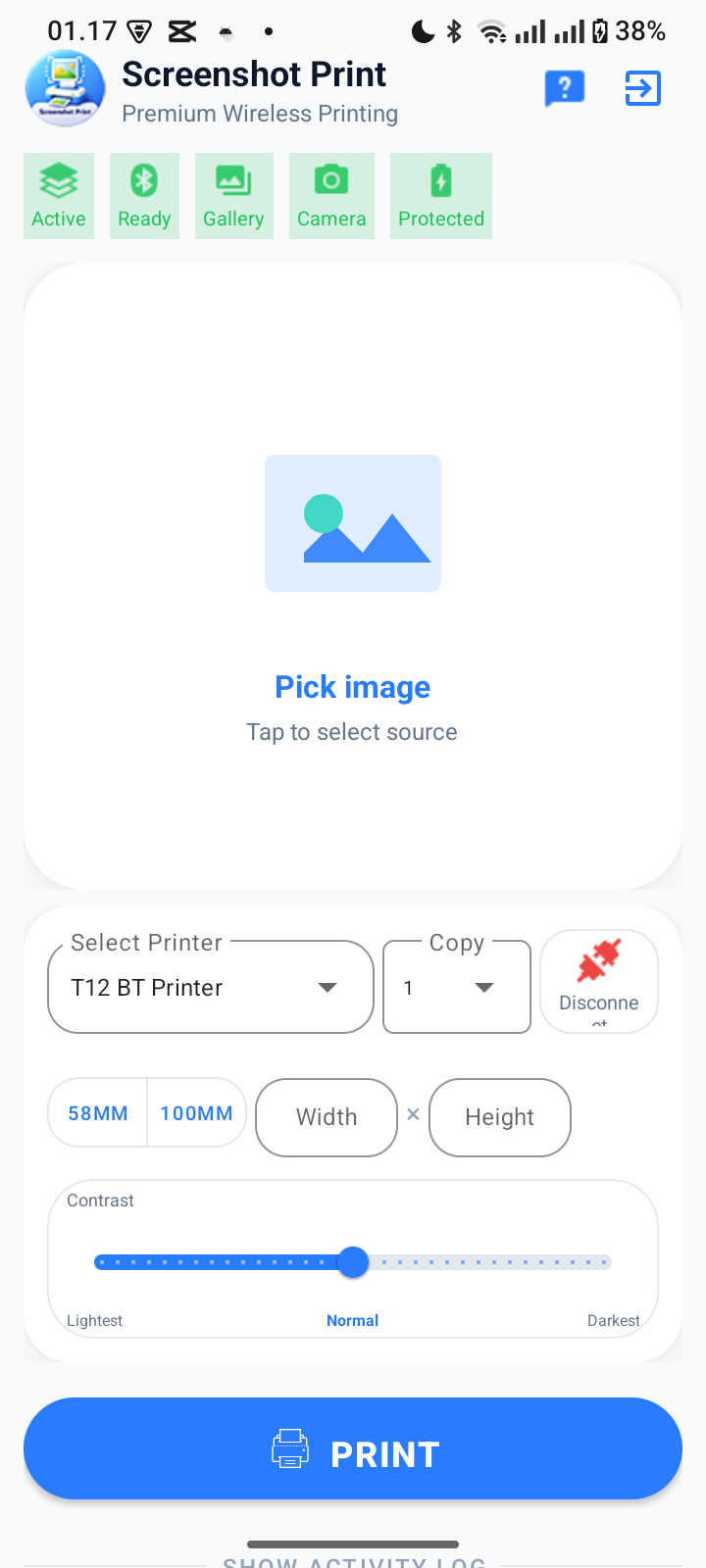
ScreenPrint App Screenshot

Powerful Features

Everything you need for professional mobile printing

Screenshot Printing

Capture any screen content with floating screenshot button. Print receipts, tickets, notes instantly.

Photo Printing

Print photos from gallery or take new photos with camera. Support for all image formats.

Universal Bluetooth

Compatible with ESC/POS (58mm, 80mm) and TSPL label printers (100mm x 150mm). Auto-detection included.

Professional Editing

Crop, adjust brightness/contrast, add text, draw, or blur. Precise print area selection.

Smart Settings

Adjustable paper width/height, print density control, multiple copies (1-10), preset sizes.

Privacy First

All processing on your device. No data collection, no tracking, no internet required.

How It Works

Simple 3-step process to start printing

1

Connect Your Printer

Pair your Bluetooth thermal printer in Android Settings, then select it in the app.

2

Choose Your Content

Take a screenshot, select from gallery, capture with camera, or load a document.

3

Print Instantly

Adjust settings if needed, tap Print, and your content prints immediately!

Perfect For

Trusted by businesses and individuals worldwide

Retail & POS

Print receipts, labels, and product tags on the go.

Delivery & Logistics

Mobile shipping labels and delivery receipts.

Events & Venues

Print tickets, badges, and event passes instantly.

Inventory Management

Warehouse labels and inventory tracking.

Sales Teams

Mobile receipts and order confirmations.

Home Office

Personal printing needs and photo mementos.

Ready to Start Printing?

Download ScreenPrint now and experience professional mobile printing.

  • No subscription fees
  • No advertisements
  • No data collection
  • Lifetime updates

Requires Android 8.0 (API 26) or higher

QR Code to Download

Scan to download

Need Help?

We're here to assist you

Email Support

Get help from our team

cs@idm.web.id

Documentation

Learn how to use ScreenPrint

View Guides

FAQ

Common questions answered

Read FAQ